

The unfolding and conversion are fully automatic!
Read The Fabricator’s article featuring PEP’s advanced automation and intelligence!
Read The Fabricator’s article featuring PEP’s advanced automation and intelligence!

ONE CLICK and you’re done
PEP Technology connects your CAD workflow directly to automated nesting, helping your team move from design to cutter-ready parts with fewer manual steps. With fully supported interfaces for SolidWorks, Inventor and Solid Edge, PEP streamlines file conversion, BOM extraction, geometry correction and production preparation in one connected workflow.
As of Sept. 1, 2026, PEP Technology fully supports Solid Edge integration alongside SolidWorks and Inventor. Manufacturers using Solid Edge can now move from CAD assembly to cutter-ready path with one-click automation built for faster, more accurate production.
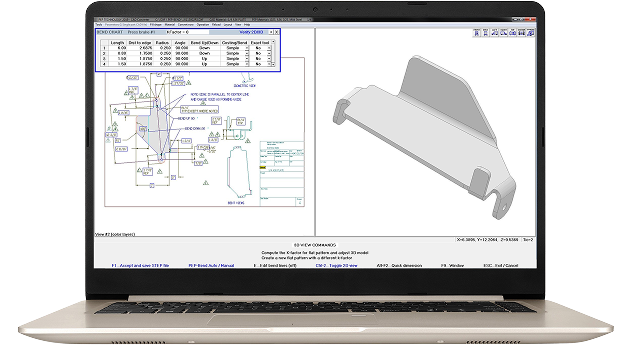
With the Solid Edge CAD interface, your team can display a drawing or assembly, click the PEP icon and create finished parts in seconds. PEP extracts Solid Edge CAD file and assembly data, filters non-sheet-metal components, unfolds one occurrence of each unique part and connects seamlessly with the PEP CAD Converter for automatic CAD conversion for Solid Edge files.
The integration also analyzes unfolded CAD drawings for geometry errors, fixes issues like short lines and bend reliefs, and saves cutter-ready paths for production. This Solid Edge nesting software delivers faster processing, fewer manual conversion steps, no interim DXF file to maintain and a direct path from CAD data to production-ready parts.
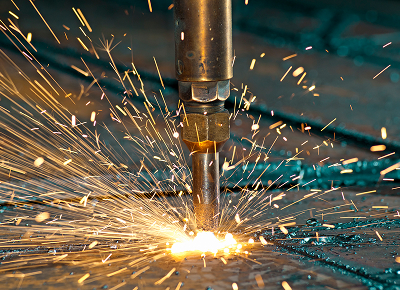
PEP’s CAD to nesting software integration connects supported CAD platforms with finished cutter paths ready for your machines. For Solid Edge users, the new interface adds the same one-click workflow already available for SolidWorks and Inventor.
The PEP software analyzes and processes Solid Edge files by automatically:
The unfolding and conversion are fully automatic!
PEP analyzes and exports the entire assembly, converting only the parts to be cut. Your team can focus on sheet metal parts without sorting through screws, hinges and gaskets.
The seamless integration removes the need to maintain old DXF files, helping your team keep every cut aligned with the current part revision.
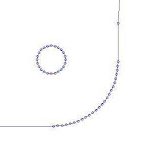
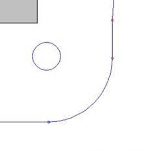
When 3D CAD files are unfolded, CAD products like SolidWorks, Inventor and Pro-E often replace radii along a bend with short line segments and add less-than-ideal bend reliefs. PEP finds and fixes these geometry issues automatically.
|
SHORT LINE EXAMPLE 50 Short Line The CAD software saved the part geometry with 50 short line segments that can limit cutting speed and affect cut quality. |
 |
|
PEP’S AUTOMATIC SOLUTION 1 Arc Geometry PEP Technology automatically finds the short line segments in the 2D part and replaces the lines with a single arc. |
 |
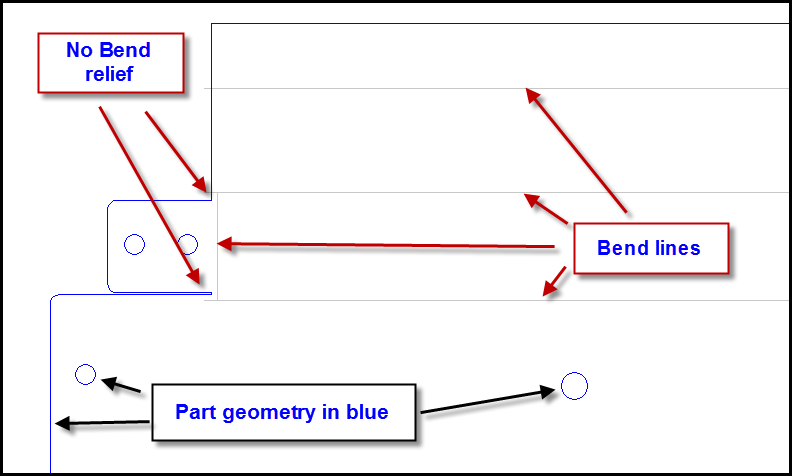
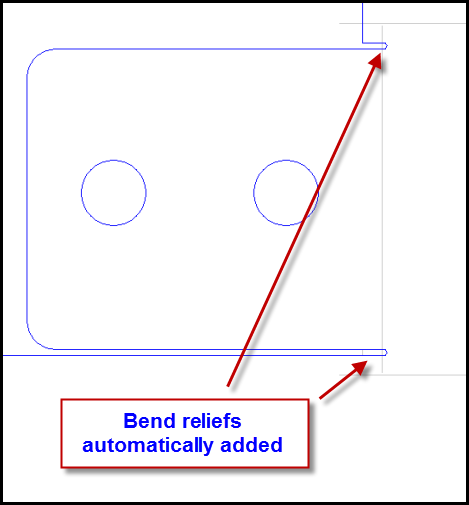
Another CAD Converter error-correction feature is the automatic detection of bend lines and insertion of bend reliefs. Optionally, scribe the beginning and end of each bend line automatically.
| CAD file with NO Bend Relief | The PEP Part with Bend Relief |
|---|---|
 |
 |
Rapid Access

Precision Tracking
PEP finds dimensions and verifies part scaling automatically, saving a snapshot of the verified dimension permanently in the PEP Drawing Database. The stored snapshot shows dimensions verified to be within tolerance and dimensions flagged for review.
“We all think the PEP Software is the best on the market bar none. The fabrication business gets more competitive every day but this software will make you a WINNER!”

“PEP Technology has been fantastic to work with. Their support team is quick, reliable, and always delivers results. The CAD converter saves us huge amounts of time by converting parts quickly and error-free, freeing up our programmer for other tasks. As you know, time is money! With PEP, I can take a part, from DXF to a laser nest in minimal time — it’s a real game-changer compared to other laser nesting software that I have worked with. We continue to flourish with the Power of PEP!”

“We were delighted to see that the nesting engine in PEP saved over 14% on our material usage. PEP Technology is the best investment we ever made in manufacturing productivity.”

“Just wanted to extend a big thank you to the PEP support team for jumping in so quickly to help us get the new post processor installed for our new laser. Your fast response and technical expertise made all the difference. Everything’s running smoothly thanks to you!
Nick’s remote login and rapid turnaround had us up and running within minutes. As always, your support team was a pleasure to work with: responsive, knowledgeable, and easy to collaborate with.
“PEP Technology saves us several million inches of cutting per year with its fully automatic common line cutting. This advanced cutting routine significantly increases our material yield every day.”

PEP Technology helps CAD teams using SolidWorks, Inventor and Solid Edge speedily move from design to production with accuracy and confidence.
Nest with the Best


PEP’s Fully Automatic SolidWorks, Inventor and Solid Edge Interfaces Include